In the event you wish
to have an external record of all outgoing emails sent to customers from Compass, you can
configure the system to Blind Carbon Copy all emails sent from Compass.
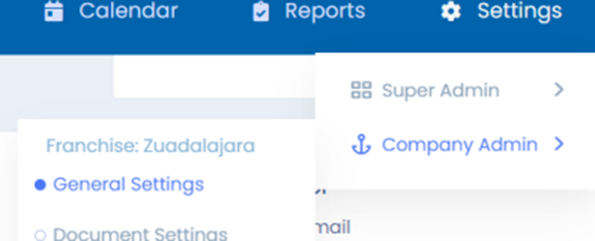
To enable this, first navigate to your General Settings
under the Company Admin functions.
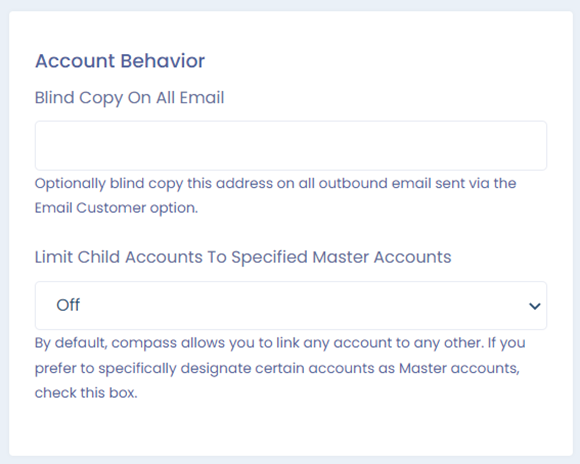
Locate the heading of Account Behavior on the screen that
comes up.
Fill in the box with the email address you would like all
correspondence to be copied to.
Click Save at the bottom of the screen.
Was this article helpful?
That’s Great!
Thank you for your feedback
Sorry! We couldn't be helpful
Thank you for your feedback
Feedback sent
We appreciate your effort and will try to fix the article